Find a Specific Paper on PubMed Fast: Use the Single Citation Matcher Tool to Locate an Article by Author
We’ve all been there: you remember one perfect paper—maybe your supervisor mentioned it, you cited it years ago, or you saw it in a lecture slide—but now it has vanished into the endless sea of search results. You type a few words into PubMed, hit search, and suddenly you’re staring at hundreds (or thousands) of articles. If your goal is to find a specific paper on PubMed when you only know partial details—like the author’s last name, an approximate year, or a journal—there’s a faster, cleaner way than broad searching: PubMed’s Single Citation Matcher.
What Is PubMed’s Single Citation Matcher?
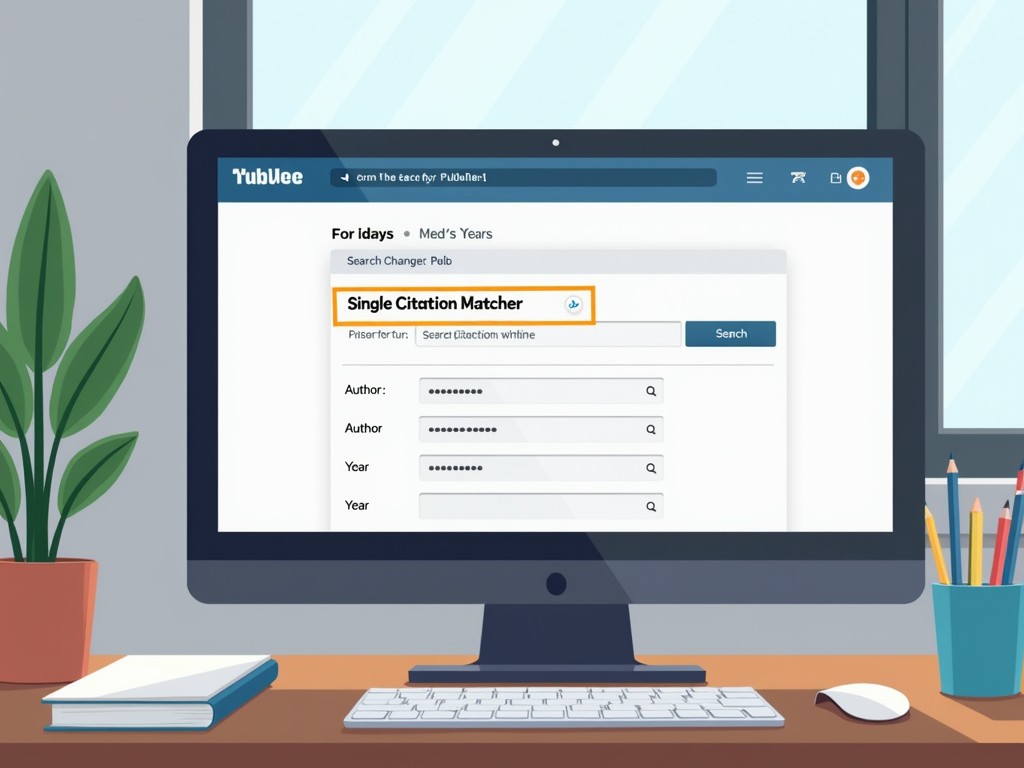
The Single Citation Matcher is a PubMed tool designed to locate a specific article (a single citation) using whatever bibliographic details you have available. Instead of relying on a standard keyword search that returns a long list of results, this tool works like a targeted “citation lookup” form. You enter known fields—such as author name, journal title, year, volume, issue, or page—and PubMed attempts to match your inputs to the exact record.
For researchers, clinicians, students, librarians, and systematic reviewers, the Single Citation Matcher is often the fastest route to locate an article by author and approximate publication details.
When to Use Single Citation Matcher vs. Regular PubMed Search
Regular PubMed search is ideal when you’re exploring a topic or performing literature discovery. The Single Citation Matcher is ideal when you’re doing retrieval—trying to find a specific paper you already know exists.
Use Single Citation Matcher when you have:
- An author name (even just the last name) and a rough year
- A journal name (full title or common abbreviation)
- Partial citation details such as volume, issue, or first page
- A title fragment (a few words from the title)
Use regular PubMed search when you need:
- Broad topic exploration (e.g., “microbiome inflammation biomarkers”)
- Comprehensive retrieval for reviews (systematic or scoping reviews)
- Related articles and discovery of adjacent research
How the Single Citation Matcher Works (In Plain English)
The tool basically asks PubMed: “Given these details, which one paper matches?” The more accurate fields you provide, the more likely you’ll get a single perfect hit. However, it’s also useful when you have imperfect information—like the wrong year or a misspelled author—because you can leave some fields blank and try a few combinations.
Step-by-Step: Find a Specific Paper in PubMed Using Single Citation Matcher
Here’s a practical workflow you can use anytime you need to find a specific paper on PubMed quickly.
1) Start with the information you’re sure about
Before you open PubMed, write down what you know. Common “anchors” include:
- First author last name (or any author)
- Approximate year (even a range like 2017–2019)
- Journal name or abbreviation
- One or two distinctive title words
2) Enter the strongest fields first (author + year + journal)
If your memory is limited, start with author and year. If you also know the journal, add it—journal information is highly discriminative and can dramatically reduce ambiguity.
3) Add title words if you’re getting multiple matches
If the author publishes frequently in the same area, author + year may still yield more than one possibility. Add a couple of title words—ideally unique terms rather than generic words like “study” or “analysis.”
4) Use volume, issue, and page for near-perfect precision
If you have citation details from a reference list (even partial), add volume and first page. This often results in an immediate exact match.
5) If you get no result, loosen one constraint at a time
No matches doesn’t necessarily mean the paper isn’t in PubMed. It may mean one of your fields is slightly off. Try:
- Remove the issue number
- Try a different year (±1)
- Use only the author’s last name (omit initials)
- Try the journal abbreviation vs. full title
- Remove title words and retry
Best Practices to Locate an Article by Author (Without Wasting Time)
If your main clue is an author’s name, these strategies help you zero in fast.
Be flexible with author initials
Authors may appear with different initials across publications (e.g., middle initial included sometimes). If a strict match fails, use the last name only or try alternative initial combinations.
Use a journal constraint when possible
Many author names are common. Adding a journal field can eliminate dozens of false matches instantly. Even if you only remember the journal “family” (e.g., “Nature something”), try the likely title or abbreviation and refine from there.
Approximate year is still useful
If you’re unsure whether the paper was 2014 or 2015, try one year, then the other. If you’re not sure at all, leave the year blank and rely on author + title keywords, then narrow once you spot likely candidates.
Common Issues and How to Fix Them
The Single Citation Matcher is straightforward, but a few common pitfalls can slow you down.
Problem: Too many results or multiple possible matches
- Add the journal title/abbreviation
- Add one or two unique title words
- Add volume and first page if available
Problem: No results found
- Check spelling of author and journal
- Try a year range by testing adjacent years
- Remove strict fields (issue number is a common culprit)
- Try fewer title words or different title words
Problem: The article exists but may not be indexed in PubMed
Not every biomedical article is indexed in PubMed, especially certain conference materials, some journals, or very new records that haven’t been fully processed. If you suspect this is the case, use the DOI (if you have it) or try alternative sources like the journal site, Google Scholar, or a library database. Still, the Single Citation Matcher remains an excellent first step when you expect PubMed coverage.
Why This Tool Is the Fastest Way to Find That “Lost” Paper
The biggest advantage is intent: the Single Citation Matcher is built specifically to find a specific paper on PubMed rather than to discover a set of papers. When you use standard keyword search, PubMed optimizes for relevance across many results. When you use Single Citation Matcher, PubMed optimizes for identity—matching one record to a partial citation.
This is especially useful when:
- You remember a famous author but not the title
- You have incomplete reference list details
- You need to confirm a citation quickly for a manuscript, grant, or report
- You want to avoid browsing thousands of results
FAQ: PubMed Single Citation Matcher
What if I only know the author’s last name?
You can still use the Single Citation Matcher. Start with the last name and add any extra clue you have—approximate year, journal, or one title keyword. If the last name is common, you’ll likely need at least one additional field to narrow it down.
Can I locate an article by author and approximate year?
Yes. This is one of the most common use cases. Enter the author last name and the year you believe it was published. If no result appears, try the year before or after.
Do I need the exact journal title?
No. In many cases, PubMed recognizes common journal abbreviations. If you’re unsure, try the abbreviation first, then try the full title if needed.
Is Single Citation Matcher better than searching the article title in PubMed?
If you have the full title, a title search can work well. The advantage of Single Citation Matcher is that it lets you mix fields (author, year, journal, pages) so you can succeed even when you only know fragments.
Conclusion: Stop Scrolling—Match the Citation Instead
If you’re trying to find a specific paper on PubMed, especially when you only know an author name or an approximate year, PubMed’s Single Citation Matcher tool is the most efficient approach. Rather than fighting broad searches and sifting through endless lists, you can locate an article by author and other partial details in a targeted, repeatable way. Next time that “lost” paper slips your mind, skip the scroll and match the citation—your future self will thank you.