Tips for Searching PubMed: 5 Expert Strategies
PubMed is one of the most powerful databases for biomedical and clinical literature—but it can also feel overwhelming when your search returns thousands of results or misses key studies. The good news: a few strategic steps can dramatically improve your accuracy, relevance, and efficiency. In this guide, you’ll learn five practical, librarian-tested tips for searching PubMed, including how to use MeSH, build a repeatable search strategy, and apply filters the right way.
Why PubMed search skills matter
Whether you’re answering a clinical question, writing a manuscript, preparing a systematic review, or staying current with evidence-based practice, the quality of your PubMed search affects everything downstream. A strong search helps you:
- Find higher-quality and more relevant articles faster
- Reduce noise (irrelevant results) without accidentally excluding important papers
- Make your work more reproducible (especially in research and reviews)
The following tips reflect a simple workflow used by medical librarians: clarify the question, search key concepts separately, verify PubMed’s mapping, combine sets logically, and refine at the end.
Tip 1: Focus your question and identify the main concepts
Before you type anything into PubMed, sharpen your question and extract the concepts that matter. A focused question leads to a focused search.
Use PICO for clinical questions
If your question is clinical, the PICO framework is a reliable way to identify the core concepts:
- Patient / Problem
- Intervention
- Comparison
- Outcome
Example question: “Does vaccinating healthcare workers against the flu prevent infection in patients?”
From this, your main concepts might be:
- Healthcare workers (population)
- Influenza vaccine (intervention)
- Infection / cross infection (outcome concept)
You don’t always need every PICO element in the search (comparison and outcome are often optional), but identifying concepts up front prevents vague, unfocused searching.
Tip 2: Search each concept individually using PubMed Advanced Search
Instead of throwing all your terms into the main search bar at once, use PubMed Advanced Search to search each concept separately and build a structured strategy.
Why this works:
- You can review how PubMed interprets each concept
- You can adjust synonyms and MeSH per concept
- You can combine sets later with clean Boolean logic (AND/OR)
In Advanced Search, enter your first concept (e.g., “influenza vaccine”), then select Add to History rather than searching everything together immediately. Repeat for each concept.
Tip 3: Check Search Details to confirm keywords and MeSH mapping
One of the most overlooked PubMed features is Search Details. It shows how PubMed translated your query—including whether it mapped to a MeSH term (Medical Subject Headings), which are standardized topics assigned by indexers.
How to use Search Details effectively
- Run (or add to history) a single concept search in Advanced Search.
- Open the Search Details panel (often visible under your search history).
- Confirm whether PubMed mapped your term to a MeSH heading or used keywords.
Example: searching “influenza vaccine” often maps well to “Influenza Vaccines”[MeSH]. That’s ideal because MeSH helps capture relevant articles even when authors use different wording.
What if PubMed doesn’t find the right MeSH?
Sometimes the automatic mapping fails (for example, a term might be too new, too vague, or phrased unusually). If you see “no matching MeSH” or an odd translation, you have two good options:
- Try a synonym or variation of the concept to improve mapping.
- Search the MeSH Database manually to select the best subject heading.
Use the MeSH Database to find the best subject heading
From PubMed, open the MeSH Database and search your concept. For example:
- “healthcare workers” may map to the MeSH term Health Personnel
MeSH entries also show:
- Definitions to confirm relevance
- Entry terms (synonyms)
- Hierarchy/tree, including narrower terms (e.g., nurses, physicians)
Important: When you search with a MeSH term, PubMed can automatically include narrower, more specific terms underneath it in the hierarchy—helpful for comprehensive searching.
MeSH lag time: why keywords still matter
New articles may appear in PubMed before they’re fully indexed with MeSH. If you search with MeSH only, you may miss the most recent publications. A practical solution is to combine:
- MeSH terms (for precision and consistency)
- Keywords (for recency and author phrasing)
Tip 4: Combine search sets with AND/OR (build a clean strategy)
Once each concept has its own search set in your Advanced Search history, combine them with Boolean operators.
Use OR for synonyms (broaden within a concept)
OR tells PubMed that either term is acceptable—this increases recall. OR is best used for synonyms and closely related terms.
Example approach:
- Health Personnel[MeSH] OR “healthcare workers”
- Cross Infection[MeSH] OR “cross infection”
If you find multiple relevant MeSH options (e.g., Cross Infection and Infectious Disease Transmission, Professional-to-Patient), combine them with OR to represent the concept fully.
Use AND between main concepts (narrow to what you actually want)
AND tells PubMed you want results that contain all concept groups. After you’ve built each concept group (often with OR inside), connect the major concepts with AND:
- (influenza vaccine terms) AND (healthcare worker terms) AND (infection terms)
This structured approach makes your search more transparent and easier to edit. If results are too broad, adjust a concept group; if they’re too narrow, add synonyms with OR or revisit the MeSH choices.
Tip 5: Apply limits and filters at the end (not at the beginning)
Filters are valuable, but applying them too early can accidentally hide relevant evidence. A more reliable workflow is:
- Build a solid, comprehensive search first.
- Review the results set.
- Then refine using filters.
Useful PubMed filters to consider
On the results page, you can refine by:
- Article type (e.g., randomized controlled trial, review, clinical trial)
- Publication dates
- Species (humans)
- Language
You may also see tools related to clinical study types (often aligned with clinical queries). These can help you focus on the kind of evidence that best answers your question.
A caution about “Text availability” filters
Be careful with filters such as “Free full text.” These can remove many relevant articles that you can still access through your institution’s subscriptions. If you’re affiliated with a university or hospital, it’s usually better to access PubMed through your library so full-text linking is smoother.
How to access full text when you find the right citation
When you click an article title in PubMed, look for your institution’s link resolver (for example, a “Get It” style button). This tool checks all subscribed collections to locate available PDFs or HTML full text.
If full text isn’t available, many libraries offer interlibrary loan or document delivery options to request a copy.
FAQ: PubMed searching
Should I always use MeSH terms in PubMed?
MeSH is highly recommended for stronger precision and consistency, but combining MeSH with keywords is often best—especially if you need the newest articles that may not yet be indexed.
Why does PubMed interpret my search differently than I expected?
PubMed uses automatic term mapping. Checking Search Details shows exactly how your terms were translated, helping you spot incorrect mappings and fix them early.
What’s the easiest way to build a PubMed search strategy?
Use Advanced Search, search each concept separately, verify the mapping, then combine your concept sets with OR (synonyms) and AND (main concepts). Finish with filters.
Conclusion
Better PubMed searching isn’t about memorizing complex syntax—it’s about following a repeatable strategy. Focus your question, search each concept separately in Advanced Search, verify MeSH mapping in Search Details, combine sets thoughtfully with AND/OR, and apply filters only after you’ve built a strong result set. With these five tips, you’ll spend less time scrolling and more time finding the best evidence for your clinical or research work.
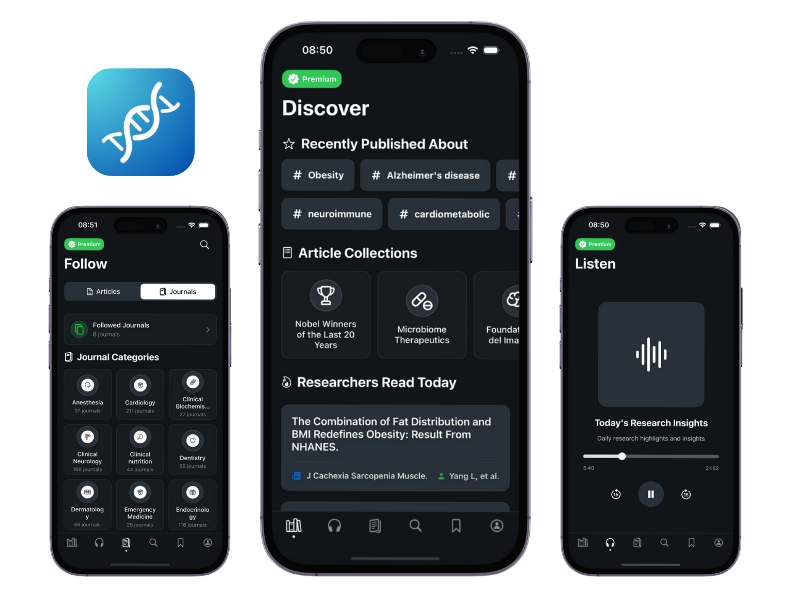
Try MediPub App
Follow, read, and stay updated with peer-reviewed medical research. Perfect for healthcare professionals, medical students, and researchers.